
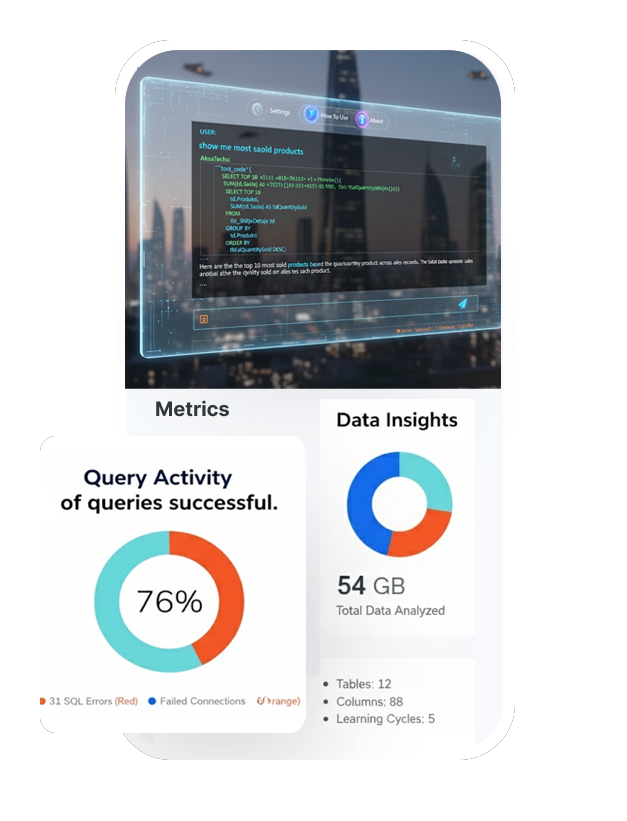
Why choose us
We at AksaTechs are excited to help you unlock the true power of your data.

AKSA AI — Intelligent MSSQL Database Assistant for Business Analytics
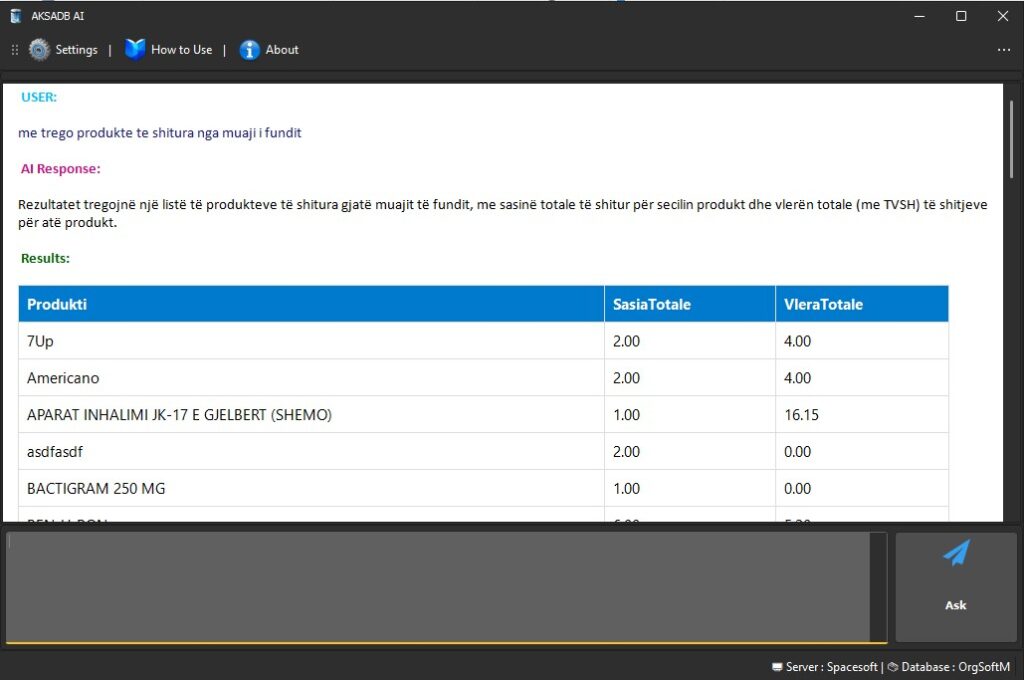
Talk to your data in plain English. AKSA AI connects with any MSSQL-based system to generate instant reports, dashboards, and actionable insights — securely and with no SQL required.
Why AKSA AI?
Designed for business users, AKSA AI turns complex database queries into a simple conversation. Whether you run finance, operations, support, or inventory — get accurate answers, charts, and downloadable reports in seconds.
Natural Language Queries
Ask in plain English — no SQL or technical knowledge needed. Get tables, summaries, or PDF-ready reports instantly.
MSSQL Integration
Seamless connection to any software that uses Microsoft SQL Server (MSSQL). Use your existing databases without restructuring.
Enterprise Security
Privacy-first design: encrypted connections, role-based access, and local storage options ensure data remains under your control.
Core Features
 AKSA AI offers a robust set of features designed to empower your business with intelligent data insights. These include automated reports for sales, finance, inventory, and KPIs, complete with custom filters and scheduled exports.
- Automated Reports: Sales, finance, inventory, KPIs, custom filters and scheduled exports.
- Dashboards & Charts: Generate visual analytics and downloadable PDF/CSV outputs.
- Multi-language Output: English, German, French and more for international teams.
- Role-Based Access: Define who can see, export, or query data.
- Local-First Design: Database structure & conversations stored locally (optional) — sensitive data never uploaded without consent.
How AKSA AI Works
 Understanding how AKSA AI processes and secures your data is crucial. Our system is designed for straightforward setup and robust privacy. Complete two quick steps once and you’re ready to go:
Part 1 — One-Time Setup
-
Get your Google (Gemini) API Key
Obtain a free personal API key from Google AI Studio and paste it into the AKSA AI settings. (Used to convert natural language to validated SQL; you keep full control.) -
Connect your MSSQL database
Provide a connection string:Save settings and test the connection.Windows login:
Data Source=SERVER_NAME;Initial Catalog=DATABASE_NAME;Integrated Security=True;SQL login:
Data Source=SERVER_NAME;Initial Catalog=DATABASE_NAME;User ID=YourUser;Password=YourPassword;
Use Cases — Real Business Benefits
Finance
Automate financial close reports, daily sales reconciliation, and KPI dashboards to reduce manual work and reporting errors.
Customer Support
Analyze ticket trends, response times, and agent performance to improve SLA compliance and customer satisfaction.
Inventory & Ops
Detect stock anomalies, forecast reorder needs, and create operational alerts based on live MSSQL data.
Frequently Asked Questions
Does AKSA AI support my database?
Yes — AKSA AI is designed to integrate with any software that uses Microsoft SQL Server (MSSQL). If you use another engine, contact us for integration options.
How long does setup take?
Basic setup (API key + MSSQL connection + Learn All) typically takes under 30 minutes for a standard environment. Complex setups or network restrictions may take longer.
Is my data uploaded to third parties?
No. AKSA AI uses a privacy-first design: row-level data stays on your server. Only schema (table/column names) and user queries are used by the AI engine to create SQL statements.
Can non-technical users use it?
Absolutely. AKSA AI was built for business users. Ask questions in natural language and get charts, tables or downloadable reports without needing SQL knowledge.
See Pricing & Plans
Learn more about AKSA AI pricing and get access to our MSSQL database assistant solution.
4.8